
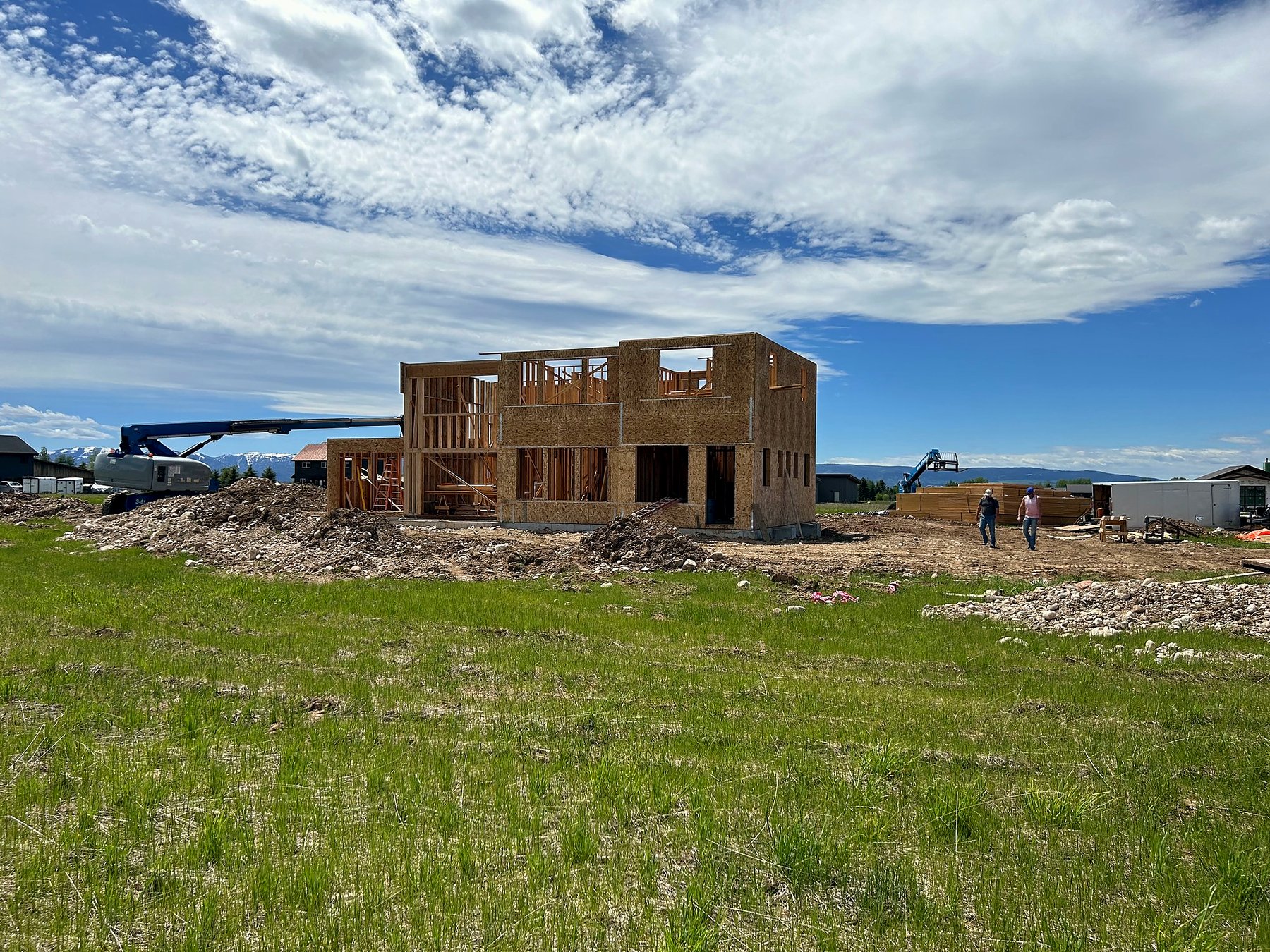
The quiet question on every out-of-state family’s first Zoom about building in Idaho isn’t what does it cost. It’s can I actually trust this from 800 miles away. You’re not going to be on site. You’ll fly in three or four times a year, maybe more. The build runs 14 to 18 months. In between, you’re either going to lose sleep over it, or you’re going to have a system that lets you not.
I’m Bryce Swager. SwagerBuilds is based in Rigby, Idaho, and we build a meaningful share of our annual volume for California families — Bay Area, Orange County, sometimes LA. Every one of them was a remote owner. Most of them were attorneys, engineers, or executives with a full calendar — people who could not have babysat a job site even if it were across the street. None of them lost sleep on the actual build. Here’s the system that makes that work — and how to spot a builder who isn’t set up for it. (If you want the short version of how we run it, it’s on Custom Homes for Busy Professionals.)
Why the “I’ll fly in once a month” plan isn’t enough
The default California-buyer plan: “We’ll fly in once a month. Our architect can do a site visit. We’ll be fine.” You won’t. Not because the builder is bad, but because: a month is too long — big decisions and small course-corrections happen weekly, sometimes daily, and by the time you visit, things have moved. A site visit answers the wrong questions — you see what’s visible today, not what’s behind the drywall, what’s pending an inspection, what’s on the change-order queue. The architect isn’t running the build — they’re checking design intent. The day-to-day belongs to the project manager.
The remote-ownership problem isn’t solved by more flights. It’s solved by continuous visibility.
The trust stack that makes a remote build work
After enough out-of-state builds, the system is dialed in. Five elements. If your builder isn’t doing all five, they’re not set up for California ownership.
1. Live job-site cameras
Every SwagerBuilds project runs a Bedrock Wireless job-site camera system built for construction, and you get the live feed from the first day of construction. Check the site from your kitchen in Palo Alto or your office in Dallas, any time, without calling anyone. AI motion detection records people and vehicles automatically, floodlights kick on if someone moves on site after hours, and an automatic timelapse documents the build from dirt to done. The hardware is weatherproof and rated from -40°F to 115°F, so it keeps running through a Teton Valley winter.
2. JobTread daily logs
Every day, your PM posts to your JobTread project portal: photos of what was completed, notes on what’s planned for tomorrow, flags on anything that needs your input. You wake up in California with a coffee-and-logs ritual that takes 90 seconds.
- Live line-item budget visibility. Every PO, every change order, every variance. No mystery on cost.
- Schedule with milestones. Drywall by date X, trim by date Y.
- Change-order audit trail. Every change has a written scope, price, and your approval.
- Document storage. Plans, contracts, warranties, inspection sign-offs.
If your builder uses Buildertrend, CoConstruct, Procore, or another full-feature PM software, the same principle holds. The non-negotiable: daily updates posted somewhere you can see them. If the answer is “we’ll email you weekly summaries,” that’s not enough for a 14-month build.
3. An on-site PM plus one accountable owner
The single biggest predictor of a smooth remote build is whether someone is on your site every day, and whether one person owns the outcome. When the company owner is also the only person running the site, your build is at the mercy of how many other jobs they’re juggling that week. When the PM runs the site with nobody above them owning the result, questions bounce around and nobody answers for the budget. The model that works: an on-site project manager runs your build day to day, and one accountable owner stands behind the budget, the schedule, and the answers. At SwagerBuilds, that owner is me. Your PM posts your daily log and keeps the site moving; I own the numbers and the decisions.
Ask any builder pitching you: Who runs my site day to day, who owns the outcome, and how many other builds are they running? If one PM is carrying more than three concurrent builds, your build will get less attention than you’re paying for.
4. A weekly recorded video walkthrough
Every week, you get a recorded video walkthrough of your site with budget-to-date, schedule status, and the next decision on the calendar. There’s no call to sit through. Watch it whenever it fits your week, and drop any questions into the portal where they get answered in writing. This one habit replaces most of the “I should fly in to check on things” anxiety.
5. Full budget transparency — line item, not summary
The way builders hide cost overruns is by reporting summary numbers instead of line items. “You’re at 62% of budget.” Sounds great until the final 38% has to absorb 100% of overruns. Real transparency is line item, real-time, in the portal. Every PO. Every change order. Every variance. When your builder runs into a real overrun — and on a 14-month build, something will go sideways — you find out the day the variance appears. Not at the final pay app.
The other half: batching your decisions so the build fits your calendar
Visibility solves the “is anything happening” anxiety. It does not solve the other remote-owner problem, which is decision fatigue — 300 to 500 decisions on a custom home, arriving one at a time, at 4 p.m. Mountain time, while you are in a deposition or a board meeting in another time zone.
So before we break ground, every decision on your build is grouped by phase and put on a calendar. We call it the SwagerBuilds Decision Calendar. Seven to eight scheduled decision meetings, start to finish: plans and site, exterior, structure and systems, kitchen and bath, interior finishes, fixtures and lighting, landscape and exterior details, final walkthrough. You know in month one which week in month seven you will need to think about lighting.
How remote selections actually work
Samples ship ahead. Tile, flooring, countertop, and paint samples go to your house in Dallas or Palo Alto before the meeting, so you are holding the material, not squinting at a screen. The meeting is on video, on your time zone. Decision meetings are scheduled around your calendar — early morning Pacific or after-hours Central both work. Everything is documented in the portal. Every selection, price, and approval is time-stamped in JobTread, which is the part attorneys care about most. Between meetings, you don’t hear from us unless a decision truly cannot wait. When that happens you get one message: the options, the cost of each, and a recommendation. You reply once.
The result is that the build takes 7–8 meetings and a daily 90-second scroll of your attention, not a year of it.
What this stack actually looks like in practice
A real week for an out-of-state family — say, two attorneys in Dallas or an engineer in the Bay Area — with us on a Teton Valley build:
Every day. Your on-site PM posts a daily log with photos. You scroll it over coffee in 90 seconds. Any time. You open the live camera feed between calls and see the site as it stands. Mid-week. A selection question comes up that can’t wait for the next decision meeting. You get one message with the options, the cost of each, and a recommendation, and you answer it from a meeting in San Francisco. Once a week. Your recorded video walkthrough lands with budget-to-date, schedule status, and what’s next. You watch it when it fits, drop a question into the portal as a comment, and you’re done thinking about the build until the next update.
That’s it. That’s the system. It looks boring. It is boring. That’s the point — boring is how big builds get delivered on time.
How to vet a builder for remote-ownership readiness
The 9 questions to ask any builder pitching you for a remote build:
- Can I see your active project portal — right now, on this Zoom? (If they hesitate, the system isn’t real.)
- Do you have live cameras on your current sites? Can you show me?
- Who will be my dedicated PM, and how many other builds are they running?
- How do I communicate with my PM — text? Portal? Email? What’s the expected response time?
- What’s the cadence of written updates I’ll get? Daily? Weekly? Show me an example.
- Show me a recent weekly video update you sent a client.
- How are change orders handled — written scope, price, client approval before work proceeds?
- Can I see a real line-item budget from a current build (anonymized if needed)?
- Can I have phone numbers for three out-of-state clients you’ve built for?
A builder confident in their remote-ownership system will answer all nine without hedging. A builder who can’t answer them is going to learn the lessons on your project.
What the trust stack does NOT replace
- Visit the site in person periodically. Plan on 2–4 site visits across the build. Pre-drywall walk is the most important.
- Be reachable for decisions. If you go dark for two weeks, your build stalls.
- Trust your PM. The system gives you the data, but they’re still the human running the build.
The trust stack lets you be a real owner from California. It doesn’t let you be an absentee owner. Different thing.
A note on cost
The remote-ownership trust stack costs the builder money. Cameras, software, an on-site PM, the time to record weekly video walkthroughs — these are real line items. Builders who don’t have it usually don’t have it because they don’t want to pay for it. For California families, that cost shows up either embedded in the per-square-foot number or separately broken out. Either way, you’re paying for it. The question is whether you’re getting it.
For most California families, the trust stack is the cheapest line item on the build — because it prevents the expensive line items: disputes, delays, and surprises.
Where to go from here
- Read Building a Second Home in Teton Valley as a California Homeowner for the honest cost-and-timeline frame.
- Decide on town using Driggs vs Victor: Where Bay Area Families Are Building Right Now.
- Vet builders using the 9-question list above and the broader 12-question vetting checklist in the Honest Guide.
- Ask every shortlisted builder to show you their portal live on a Zoom.
If you’d like to see what our portal, cameras, and weekly video walkthroughs actually look like on a current build — I’ll show you live on a 15-minute planning call. No pitch. Book it here.
FAQ
How do you manage a custom home build remotely?
With a trust stack, not more flights: live job-site cameras, daily PM logs in JobTread, an on-site project manager backed by one accountable owner, a weekly recorded video walkthrough, and line-item budget visibility in real time. Add two to four in-person visits over the build — the pre-drywall walk is the one that matters.
Should I hire an out-of-state builder if I live in California?
Yes — provided the builder is set up for remote ownership. Local builders who don’t have those tools will be harder to work with than out-of-state builders who do.
How often should I visit a custom build I’m not local to?
Plan on 2–4 site visits over a 14–18 month build. Most important: pre-drywall walk.
What’s a live job-site camera and why does it matter?
A weather-rated camera system mounted on site that streams a live feed you can open from anywhere. The single highest-leverage tool for remote ownership.
What project management software do good custom home builders use?
JobTread is what we use. Buildertrend, CoConstruct, and Procore are also full-feature platforms. The software matters less than whether the builder actually uses it daily for client-facing updates.
Can I trust a builder who’s 800 miles away?
You can — if they’re set up for it. The trust stack replaces the on-site presence you’d otherwise have. Builders without that system require physical proximity to build trust; builders with it don’t.
How many decisions will I have to make if I build from out of state?
Seven to eight scheduled decision meetings from design kickoff to move-in, each on your calendar months ahead. Selections are batched by phase, samples ship to you before the meeting, and the meeting happens on video in your time zone. Between meetings you are not contacted unless a decision genuinely cannot wait.
Can I build a custom home in Idaho or Wyoming while working full time?
Yes. The build is designed so it does not become a second job: daily photo logs you can read in 90 seconds, a weekly recorded video walkthrough, one accountable owner, and 7–8 scheduled decision meetings. Most of our out-of-state clients are attorneys, engineers, and executives working full time through the entire build.
Author: Bryce Swager — owner-builder at SwagerBuilds. Building for California families remotely since 2019.
Want to see the actual portal, cameras, and weekly video walkthroughs on a current build? Book a 15-minute planning call →
Related reading
- Building a Second Home in Teton Valley as a California Homeowner
- Driggs vs Victor: Where Bay Area Families Are Building Right Now
- How to Choose a Custom Home Builder in Idaho
- Moving to Idaho from Texas: What Surprises People About Eastern Idaho
- Custom Homes for Busy Professionals — the SwagerBuilds Decision Calendar
- The Honest Guide to Building a Custom Home
Vetting a builder? Read these first.
What separates a real bid from a number on letterhead.
Leave a Reply